
No products in the cart.


I130_06 Carbide Insert, 15 x 15 x 2.5 mm, R150 radius
$4.77
I130_06 identifies one cutter insert sized 15 x 15 x 2.5 mm with a R150 radius.
I130_06 identifies one cutter insert. The main gallery drawing labels it 15 x 15 x 2.5 mm with R150 radius. Its visible type attribute reads "Monolithic 15 x 15 x 2.5 mm, R150 blade". The WooCommerce record uses a simple product type and contains no selectable variation records. The main drawing labels a 15 x 15 x 2.5 mm insert and an R150 radius. The page does not explain the radius datum or identify a cutterhead model. Other gallery images show a cutterhead series and loose insert examples but do not identify a compatible model.
Specifications
| Product type | Single cutter insert, as indicated by the main image |
|---|---|
| Drawing dimensions | 15 x 15 x 2.5 mm |
| Edge geometry on drawing | R150 radius |
| Visible type attribute | Monolithic 15 x 15 x 2.5 mm, R150 blade |
| Product record | Simple item with no variation records |
| Machine or cutterhead model | The listing names no model |
Check how the R150 radius is measured
The drawing labels an R150 radius rather than a bevel angle. Compare the rounded edge with the cutterhead profile and confirm whether R150 refers to the edge radius or another drawing convention. Measure the 15 mm face and 2.5 mm thickness, then verify the seat and fastener.
Before fitting the insert
- Check the 15 x 15 mm face and 2.5 mm thickness.
- Confirm the R150 radius datum with the seller.
- Compare the rounded profile with the cutterhead pocket.
- Verify the mounting hole and screw before fitting.
Listing limits
The product page does not explain the R150 datum or give a matching cutterhead part number. Its old copy includes unsupported service-life and performance language and conflicting edge-count wording. Do not assume the radius label identifies a compatible tool by itself. The main image labels the insert radius R150 rather than a bevel angle.
Product gallery
Related category: Cutterheads and Blades.
| type | Monolithic 15X15X2. 5XR150 Blade |
|---|
Related products


Helical Cutterheads & Inserts
$5.46


Helical Cutterheads & Inserts
$6.94
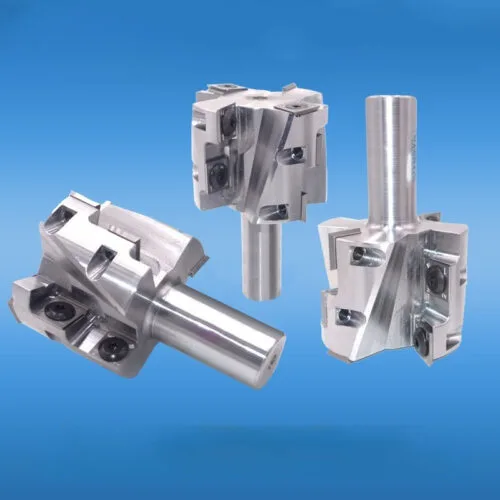
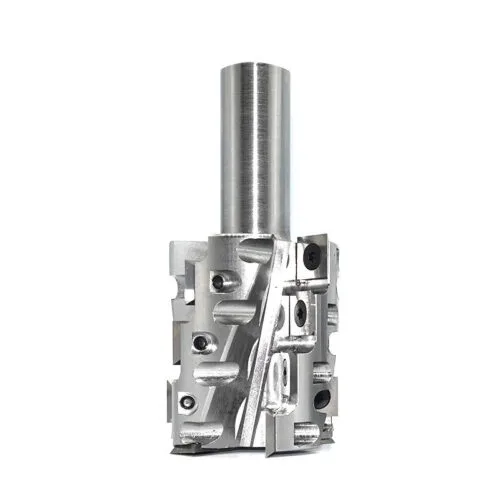
Helical Cutterheads & Inserts
Price range: $132.50 through $729.17


Helical Cutterheads & Inserts
$6.38


Helical Cutterheads & Inserts
I124 Replaceable-Insert Spiral Cutterhead for CNC and Planers
Price range: $56.25 through $402.50


Helical Cutterheads & Inserts
$4.03


Helical Cutterheads & Inserts
$7.86


Helical Cutterheads & Inserts
$5.60