

No products in the cart.
Shop router bits / Ordering help
How to Order Router Bits
Use this guide to check fit, choose the right cutter for the job, and place an order with the information our team needs to support it.
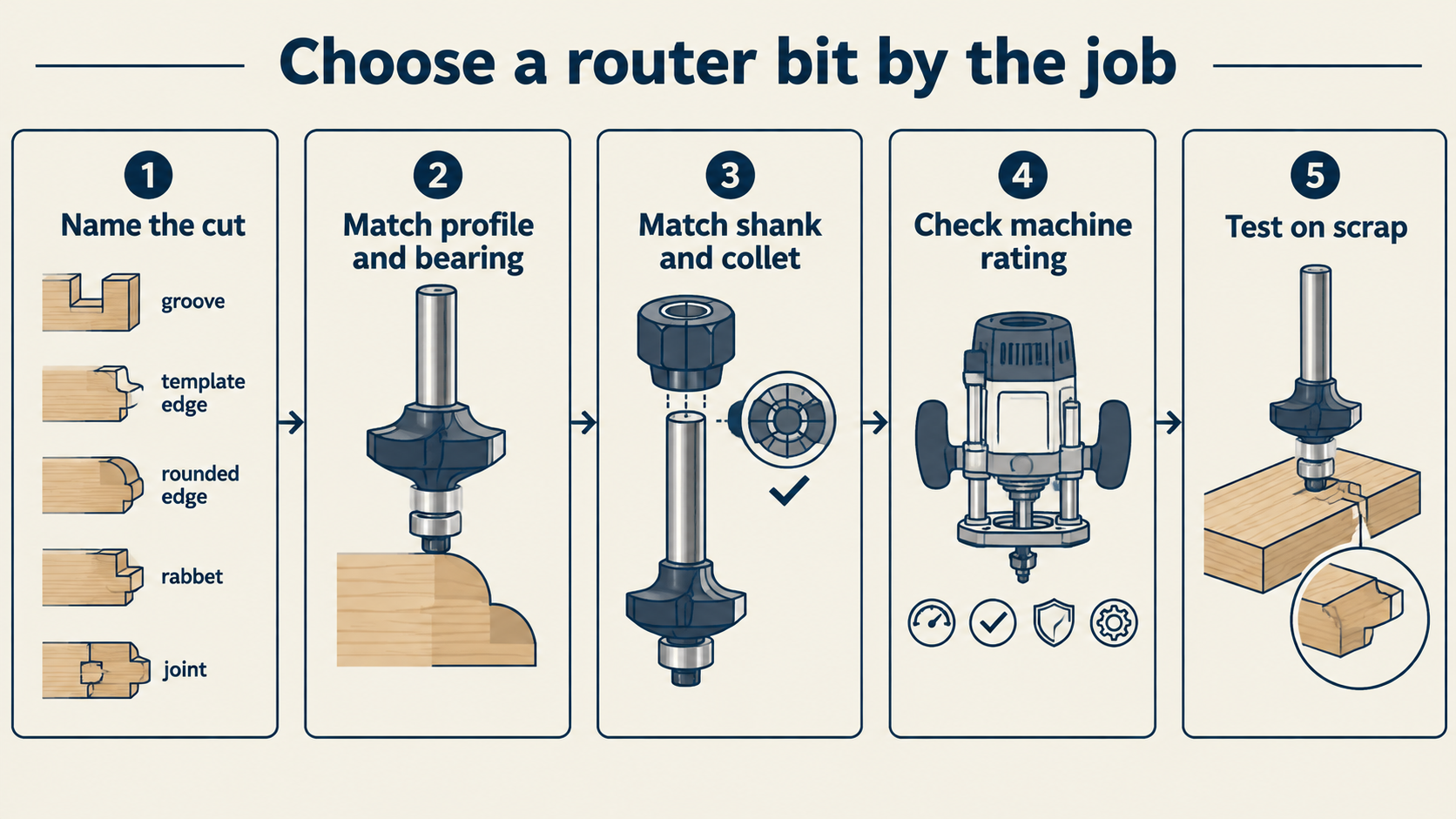
- 1. Define the cutStart with the profile, groove, trim or surface work you need.
- 2. Check the holderMatch the shank to the exact collet, chuck or tool holder.
- 3. Check dimensionsCompare cutting diameter, cutting length and workpiece thickness.
- 4. Review the productConfirm the model, variation, price and any stock or lead-time note.
- 5. Keep the order numberSave the confirmation so support can find the order quickly.

Before you add a bit to the cart
The correct profile is only one part of the choice. A cutter that matches the shape but does not match the holder or available cutting depth is not the right order.
- Operation: edge profile, joinery, grooving, flush trim, surfacing or CNC work.
- Shank: 1/4 in (6.35 mm), 1/2 in (12.7 mm), 6 mm, 8 mm or 12 mm, as marked for the product.
- Dimensions: cutting diameter, cutting length, overall length and bearing position when listed.
- Material: MDF, plywood, hardwood, solid surface, plastic or another material.
- Machine: handheld router, router table, CNC router or spindle, plus the holder type.
- Quantity and destination: include both when you need a quote or a shipping check.
Shank sizes are not interchangeable. A 1/4 in shank is 6.35 mm, and a 1/2 in shank is 12.7 mm. Use the collet or holder size stated by your machine maker. Do not force a near-size fit.
Use the router bits by shank size categories when the holder is already known. Use router bits by job when you are starting with the operation.
What to verify on the product page
Product pages can differ by cutter family and variation. Read the product title, images and available attributes together. If a dimension or machine-fit detail is not shown, ask before you order.
| Check | Why it matters |
|---|---|
| Model or SKU | Support can identify the exact cutter instead of a similar-looking profile. |
| Shank and variation | The selected variation must match the collet, chuck or spindle holder. |
| Cutting dimensions | Diameter and cutting length determine access, depth and the number of passes. |
| Flute, bearing or profile | These details affect chip direction, edge following and the finished shape. |
| Stock or lead-time note | Availability can differ between standard and custom tooling. Contact us if a date matters. |
How to order online
- Open the product page and confirm the model, required variation and quantity.
- Select the variation before you add the item to the cart. Recheck the cart line after it loads.
- Review the quantity, item price and delivery destination in the cart.
- At checkout, enter the billing and shipping details exactly as the carrier should receive them.
- Review the shipping, tax and customs information shown for the destination before payment.
- Use the payment method shown at checkout. The current store flow displays PayPal and card payment options.
- Save the order confirmation and order number. Tracking information is provided after dispatch when available.
Shipping options and charges can depend on destination, stock, parcel details and order type. See Worldwide Shipping FAQs before checkout if the order is international, time-sensitive or unusually large.
If you are not sure which bit fits
Send the details below through the contact form. A product link or model number is more useful than a photo of a similar cutter. You can attach a drawing or job photo when the profile is difficult to describe.
For a product question
- Product link or model number
- Cut or profile
- Material and workpiece thickness
- Shank size and machine or CNC model
- Required quantity and delivery country
For an existing order
- Order number
- Name and email used at checkout
- The item or parcel affected
- Photos for damage or a delivery problem
- The result you need, such as an address check or return request
Bulk, custom and business orders
For repeated quantities, custom dimensions or a business purchase, contact the team before payment. Include the drawing or product links, dimensions, material, machine, quantity and required date. We can then confirm the specification, availability and shipping basis for that request.
Custom-made tooling normally cannot be cancelled or returned after production unless it arrives damaged or defective. Confirm the specification with the team before you approve a custom order. The return and cancellation policy explains the current conditions.
After you place the order
- Need to change an address or cancel? Contact sales@bitsrouter.com before shipment. After dispatch, request support under the return policy.
- Parcel arrives damaged? Photograph the outer box, inner packaging, shipping label and product. Keep the packaging and contact the team with the order number.
- Need a return? Submit the request within 21 days of delivery. Items should be unused and in their original condition with packaging and accessories.
- Need shipping or payment details? Use the shipping FAQ and store FAQ, or contact the team with your order number.